
Fast, reliable computer repairs exclusively serving the London area
Desktop PC Repairs and Upgrades
Common Desktop Problems and Upgrade Options
Whether your desktop won’t power on, is running slowly, or simply needs more performance for modern software, our technicians diagnose the fault and recommend the most cost-effective fix. We repair home and business PCs of all makes, including custom-built systems.
- Power Supply Replacement – fixing PCs that won’t start, shut down unexpectedly or make unusual noises
- Hard Drive & SSD Upgrades – faster boot times and more storage, with your files carefully transferred
- Memory (RAM) Upgrades – smoother multitasking for office, design and gaming workloads
- Motherboard & Component Repair – diagnosis and replacement of failed boards, graphics cards and cooling
- Virus Removal & OS Installation – a clean, secure and up-to-date Windows installation
Every desktop job starts with a clear diagnosis, followed by a quote before repair or upgrade work begins, so you understand the proposed work and stay in control of the cost.
Need help with a laptop or desktop computer in London? Contact CQANET through our Contact page with your postcode, the computer’s make and model, and a description of the problem. For a laptop enquiry, explain whether the issue affects the screen, charging, startup or everyday performance so you can discuss suitable next steps. Include any error messages and mention recent damage or changes to the device. If possible, back up important files before arranging a repair, and do not include passwords in your initial enquiry. Repair services are available exclusively within the London area.


Laptop Repairs and Upgrades
Laptop Services
Laptops experience everyday wear and tear, from cracked screens to batteries that no longer hold a charge. Repairing or replacing a faulty component may help you return to work, study or play without replacing the whole machine. Whether a repair is worthwhile depends on the fault, the laptop’s condition and the availability of compatible replacement parts.
- Screen Replacement – cracked, flickering or dead displays replaced for most major brands
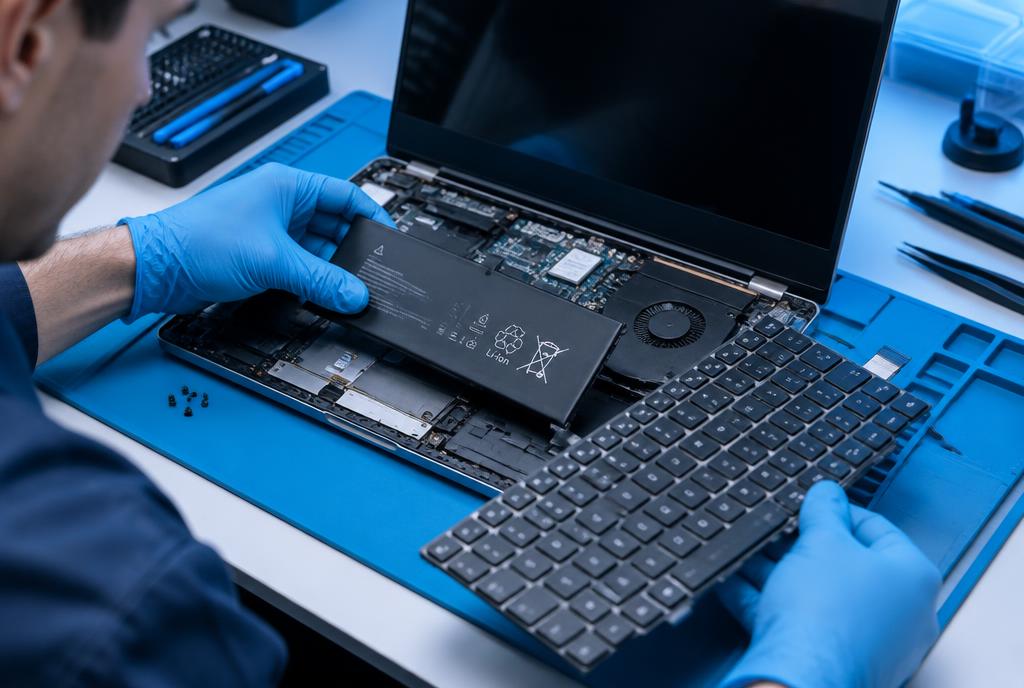
- Keyboard Repair/Replacement – sticky, missing or liquid-damaged keys repaired or replaced
- Battery Issues – new batteries and charging-port repairs for laptops that won’t hold power
- Overheating Solutions – internal cleaning, fan replacement and fresh thermal paste
- Software Troubleshooting – slow start-ups, errors, malware and driver problems resolved
SSD and memory upgrades can improve performance and help extend a laptop’s useful life, where the model supports them. Before arranging a repair or upgrade, back up important files if you can safely access them. If you cannot, let CQANET know and discuss data-handling requirements before work begins; a backup may not be possible on a faulty device.

Clear Quotes
Ask CQANET about assessment charges and request a repair quote before deciding whether to proceed.
Repair Timescales
Ask CQANET for an estimated timescale and available service arrangements for your location. Repair timing depends on the fault, assessment requirements and replacement-part availability.
Contact CQANET to discuss a laptop or desktop computer problem and ask what support is available for your device. Include the make and model, the symptoms, any error messages and when the problem started. Mention recent updates, accidental damage or changes to connected equipment, and explain whether the computer still starts. For an upgrade enquiry, describe what you use the computer for and what feels slow or limiting. Let CQANET know if important files are not backed up, but do not send passwords or sensitive files with your initial enquiry.
30-Day Warranty
Most repairs we carry out include a 30-day warranty. Before proceeding, ask CQANET to confirm whether your repair is covered, what the warranty includes and which exclusions apply.